Memory and knowledge
Memory is the library of facts, preferences and references your agents build on across conversations. It belongs to your account, not to one chat. This guide shows how notes get in, how agents use them, and how you keep the library clean.
The Memory page

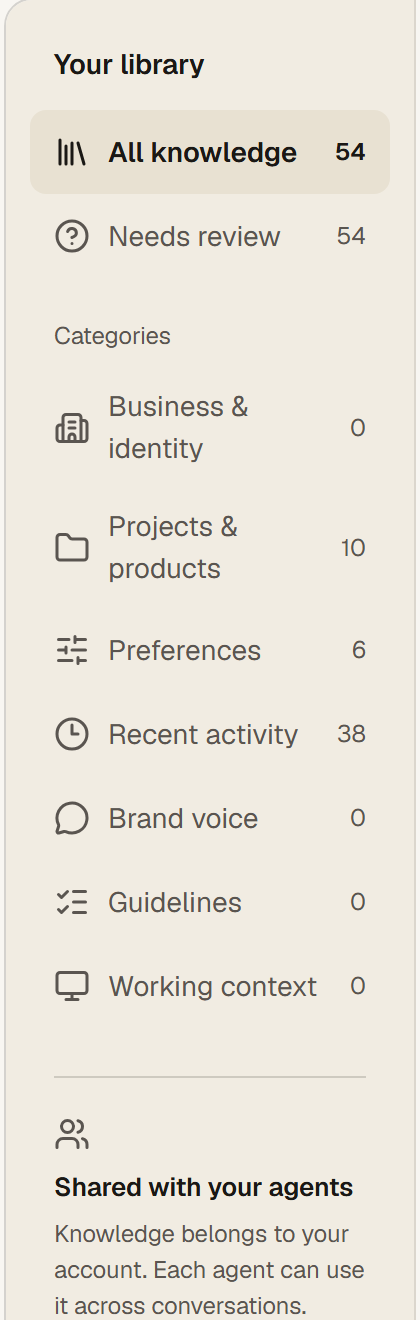
The left column is your library. All knowledge lists every note; Needs review lists notes your agents saved on their own and that you have not confirmed yet. Categories sort notes by what they are for: Business and identity, Projects and products, Preferences, Recent activity, Brand voice, Guidelines, Working context. The counts show how much each holds.
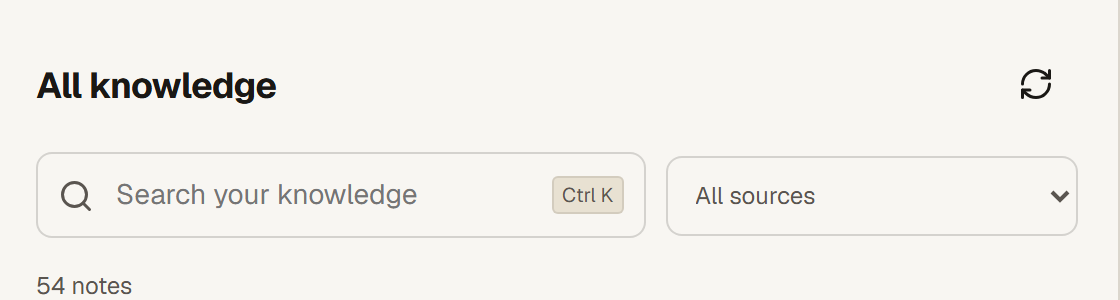
The middle column is the list with search (Ctrl+K) and a source filter: your notes, agent notes, imported text. Click a note to read its full text, its source and how your agents use it. The right column shows that detail.
Adding knowledge
- Add knowledge: one useful fact your agents can refer to again. A sentence or a short paragraph, in the category it belongs to.
- Import text: paste longer text, for example your brand guide or a product sheet. Long text is split into notes of up to 2,000 characters. Review the text before adding it; the original file is not uploaded.
- Agents add notes themselves when they learn something worth keeping. Those land in Needs review until you confirm or remove them.
What the agents receive
Memory sent to your agents previews the shared memory selected for a new run: the summary an agent gets before it reads your message. The sizes shown are characters of selected knowledge, not the model's token window. Your message, the agent's role and other instructions are separate from this. Stored notes can also be looked up during a task, so the library can hold more than fits into the preview.
Keeping the library clean
- Go through Needs review regularly. Confirm what is right, edit what is half right, remove the rest.
- Prefer one clear note over five overlapping ones. Agents work better from short, specific facts.
- Removing a note does not erase past chats or original files. It only stops agents from using it.
- Saved does not mean backed up forever. Export your knowledge from time to time for your own copy.
Questions
Why did the agent forget something I said last week?
Chats are not memory. If it matters beyond one conversation, add it as knowledge, or tell the agent to save it. Then check Needs review.
Can one agent have private notes?
No. Knowledge belongs to your account and every agent can use it. Keep per-agent instructions in the agent's role and chat instead.