Runs, Nonstop and wake-ups
Every task an agent works on is a run. Runs keeps the history with what it cost. Nonstop repeats a task on a schedule. Wake-ups let an agent pause and continue later on its own. This guide shows where each of these lives and what the states mean.
The Runs panel
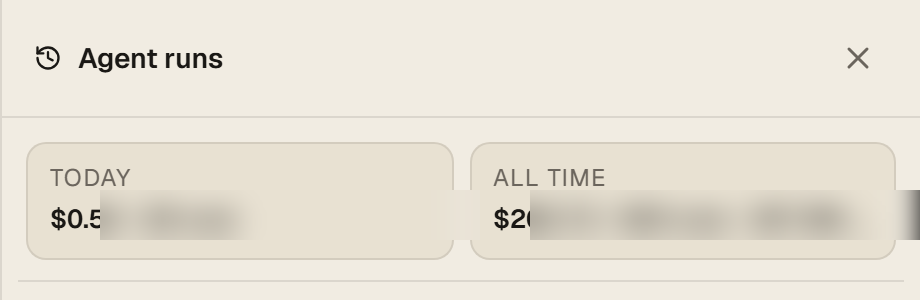
Click Runs in the top bar. The panel opens on the right with two summary cards, TODAY and ALL TIME: how many runs, and the estimated cost and tokens they used. Below is the list, newest first: the agent, the message that started the run, when it ran, and a state pill.
| Pill | Meaning |
|---|---|
| Done | The run finished on its own. |
| Error | The run ended with a problem: an expired sign-in, a timeout, a tool that failed. Open the run to read the reason. |
| Stopped | You pressed Stop, or a New chat ended it. |
| events, tok, $ | How many steps the run took, tokens used and the estimated cost on the included engine. Runs on your own connected account show tokens without a price. |
Runs named "Continue. This continuation was scheduled for ..." are wake-ups: the agent planned to continue and did. Runs started by the Team panel carry the task title.
Ongoing work and previous schedules
For new ongoing work, open Team → Talk to supervisor and describe what each agent should do. Say to keep working until Stop if the assignment is ongoing. The supervisor can save the goals, assign tasks and review results. Team shows who leads your agents and whether automatic work is on. Manual goal creation and team settings are available under Advanced settings.
Schedules previously created with Nonstop remain under Team → Advanced settings → Previous schedules. You can inspect, resume a paused schedule or stop it there. Moving this control does not stop or convert existing schedules. Stop an old schedule before creating an ongoing goal for the same work to avoid duplicate assignments.
Sleeping agents and wake-ups
An agent working on something long can decide to continue later: it goes to sleep and schedules a wake-up. The tab shows Sleeping until ... with two buttons: Wake now starts the continuation immediately, Cancel sleep drops it. When the time comes, the agent wakes up on its own, in the same conversation, and carries on. Wake-ups are capped per day so an agent cannot loop forever, and a wake-up into a signed-out account is cancelled instead of failing again and again.
In the Team panel, the supervisor's own wake-ups appear as notices such as "The original start is being checked. No replacement should be submitted." That is the system making sure a scheduled start runs exactly once.
Notifications
You do not have to keep the page open. Under Settings, Notifications, connect Telegram and you get a message when a run finishes, when an agent needs you to sign in again, and when a nonstop task stops. Email is the fallback for anything that needs you.
Questions
The run says Error: idle timeout.
The agent produced nothing for a long stretch, usually waiting on a page or a sign-in. Open Watch to see where it stopped, fix what it is waiting for, and tell it to continue.
Does New chat delete my runs?
No. New chat clears the conversation in the tab. The runs stay in Runs and the conversation stays in Saved chats.
How do I stop a nonstop task?
Open Team, then Advanced settings and Previous schedules; active and paused schedules have a Stop control. Stop on the tab ends the current run only.